BOXLIGHT Pro6500DP User Manual Page 70
- Page / 115
- Table of contents
- TROUBLESHOOTING
- BOOKMARKS

- Bottom view 12
- Lens Controls 13
- OSD Controls and Status LEDs 14
- Terminal Panel Features 16
- Remote Control Parts 18
- Remote Control 20
- ETUP AND 21
- PERATION 21
- Caution: 25
- Storing Unused Color Wheel: 28
- Making Connections 29
- ROJECTING AN 33
- Selecting an Input Source 35
- Lens Shift Adjustable Range 37
- Adjusting the Projector Level 40
- Adjusting Volume Up and Down 42
- Turning off the Projector 43
- About Direct Power Off 44
- After Use 44
- ONVENIENT 45
- Changing Lamp Mode 47
- Getting Information 48
- DJUSTMENT HORIZONTAL VERTICAL 51
- Locking the Projector 52
- Unlocking the Projector 53
- Using the Kensington Lock 54
- Navigating the OSD 55
- Menu Tree 57
- Menu Elements 59
- to confirm 60
- Image menu 61
- Image options menu 62
- Overscan 63
- Video menu 64
- Noise reduction 65
- 3D Y/C separation 65
- Progressive 65
- Color matrix 66
- ABEL DESCRIPTION 67
- White balance 69
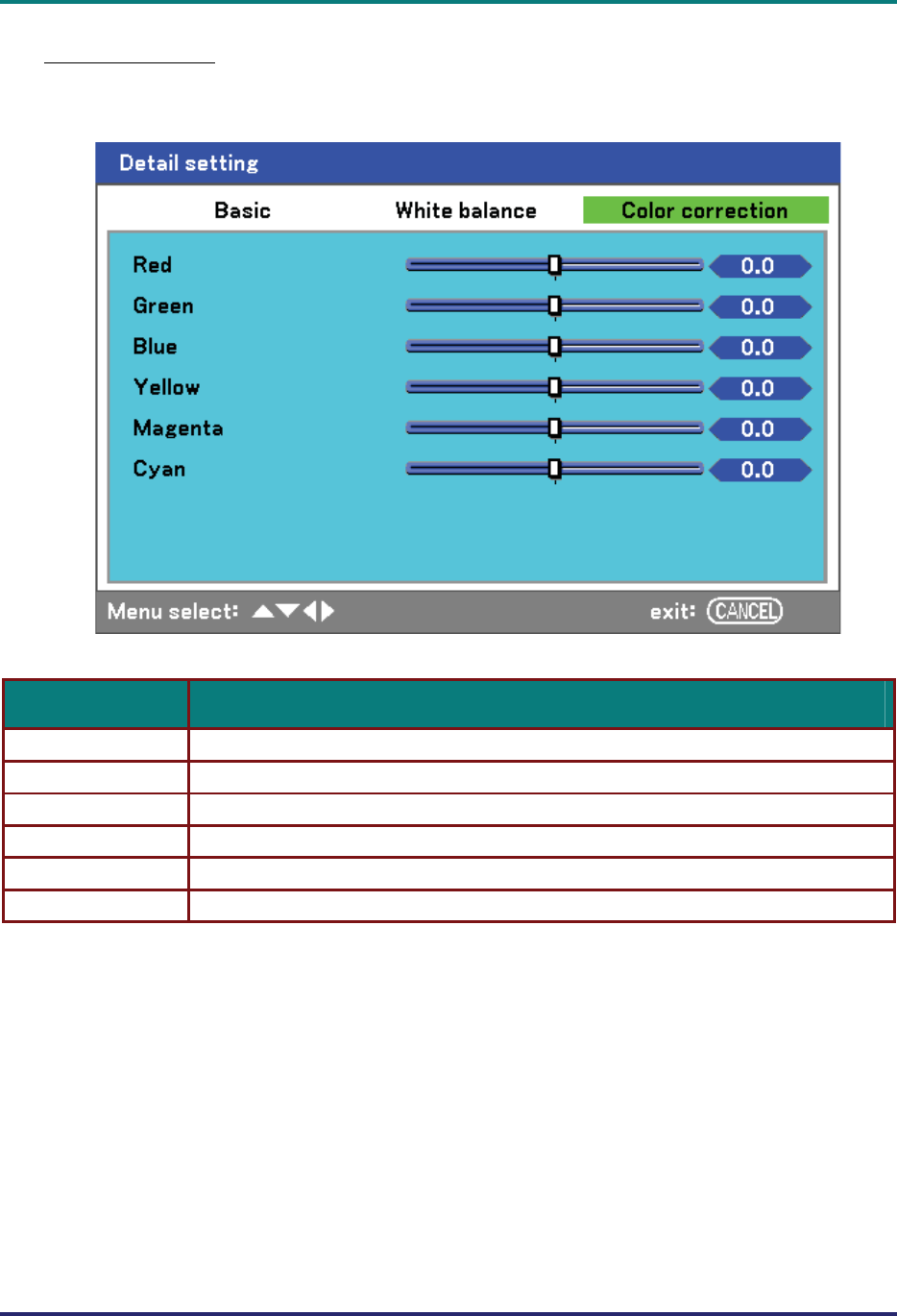
- Color correction 70
- Keystone 72
- Lamp control 72
- Lamp mode 72
- Lamp interval 73
- Language 73
- Installation 74
- Ceiling & Rear 75
- Communication speed 75
- Display time 76
- Background 76
- PIN Code Lock 76
- Key lock 77
- DynamicBlack 77
- RC sensor 77
- Network Setting 77
- Standby mode 78
- PC control 78
- Network setting 79
- Power management 81
- Screen trigger 81
- Fan control 81
- Default input select 82
- Filter warning 83
- Search mode 83
- Usage time 84
- Pro6500DP 87
- Replacing the Lamps 91
- Indicator Messages 95
- Common Problems and Solutions 96
- Tips for Troubleshooting 96
- Lamp Problems 97
- Audio Problems 98
- Remote Control Problems 98
- PECIFICATIONS 99
- Electrical Specifications 100
- Mechanical Specifications 101
- Environmental Considerations 101
- Optional Parts 101
- Cabinet Dimensions 102
- Signal Levels 103
- Sync signal: TTL level 103
- Compatible Input Signal List 104
- Example: 106
- Control Command Diagram 107
- Control Sequence 107
- Operation Commands 107
- Remote Commands 107
- Set Value Command 108
- Data Range 108
- Query Command 108
- Response message 108
- Screen Trigger 109
- Overview 110
- Preparation Before Use 110
- Configuring Network Settings 111
- TEST MAIL 112
- Structure of the HTTP Server 113
- UNCTION SETTING DESCRIPTION 114
- EGULATORY 115
- OMPLIANCE 115
Related products and manuals for Data projectors BOXLIGHT Pro6500DP
 (48 pages)
(26 pages)
(52 pages)
(54 pages)
(40 pages)
(61 pages)
(26 pages)
(40 pages)
(46 pages)
(33 pages)
(48 pages)
(48 pages)
(26 pages)
(52 pages)
(54 pages)
(40 pages)
(61 pages)
(26 pages)
(40 pages)
(46 pages)
(33 pages)
(48 pages)
© 2020, manymanuals.com. All rights reserved. | 0.065 s |
 Manymanuals.com
 Manymanuals.de
 Manymanuals.fr
 Manymanuals.it
 Manymanuals.pl
 Manymanuals.cz
 Manymanuals.es
 Manymanuals-pt.com
Comments to this Manuals